



Updated guide
Why a better Zoom meeting background is worth uploading
A good Zoom background is not decoration. It removes visual noise, gives every call a consistent first impression, and keeps your face, message, and brand doing the work.
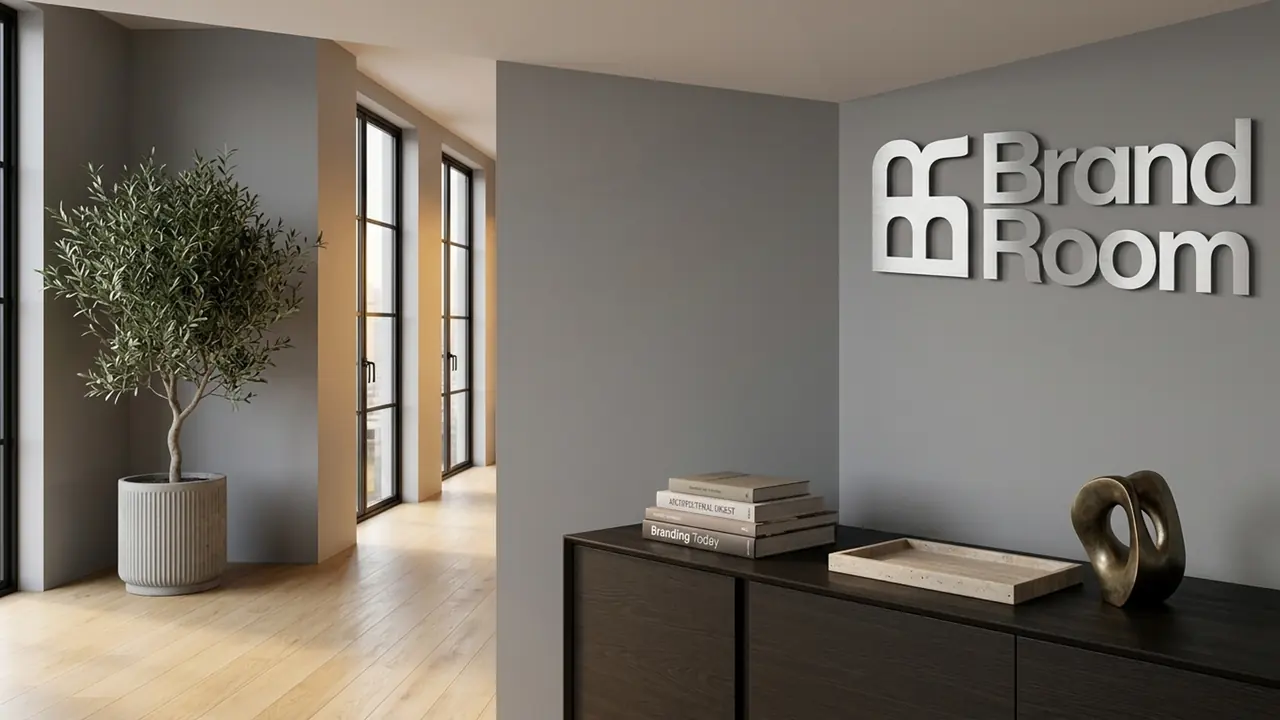
The business case
Upgrade your Zoom background when the room behind you distracts from the call, looks inconsistent across your team, or makes important meetings feel improvised. A better background should look real, keep your face readable, and add just enough brand context to be remembered.
Who benefits most
The reader is deciding whether it is worth replacing a messy room, blur, or generic background. They need business reasons, examples, and a fast way to judge whether their current Zoom setup hurts trust.
- Founders and consultants who need a credible first impression before a slide deck appears.
- Sales teams who want consistent call presence without forcing everyone into the same physical setup.
- Hiring, coaching, and customer success calls where visual trust matters but the background should stay quiet.
- Remote teams whose real rooms vary widely in light, clutter, or privacy.
Call psychology
Your Zoom tile sets the room before you speak
People read the video tile before they read your agenda. A better background gives them fewer reasons to wonder where you are, what is behind you, or whether the call is being taken seriously.
Better background, lower visual friction
The background should support eye contact and context. It should not compete with your face or look like a conference booth.
Click path
- 1Face stays clear
- 2Room feels plausible
- 3Brand is subtle
- 4No private clutter
- 5Call feels prepared
- It removes the small visual distractions people may not mention but still notice.
- It makes repeat calls feel consistent, especially when multiple teammates meet the same account.
- It gives your brand a quiet visual cue without turning the call into a billboard.
- It protects privacy better than hoping the real room is always clean and neutral.
Quality bar
A better Zoom background is realistic, not louder
The point is not to make the background more impressive. The point is to make the meeting easier to watch.
- 1
Use the room as context
A realistic office, studio, boardroom, or warm workspace gives enough professional context without forcing attention away from the speaker.
- 2
Make the brand a detail
A logo can help recall, but it should sit in the environment. If it reads like a slide template, it is probably too much.
- 3
Protect the face area
The strongest background leaves clean space around your head and shoulders so Zoom’s cutout has less work to do.
Decision trigger
Upgrade before calls where trust compounds
A better background matters most when the person on the other side will see you more than once, compare you with alternatives, or remember your team visually.
- Sales discovery and demo calls where trust is still being formed.
- Investor, advisor, or partner calls where the meeting should feel deliberate.
- Customer onboarding where a consistent team presence reduces friction.
- Recorded webinars, podcasts, and async demos where the video may be replayed.
Score your current Zoom background
If your background fails more than two of these checks, it is probably worth uploading something better.
Image checklist
- My face is the highest-contrast object in the frame.
- The background looks like a real place, not a graphic template.
- No private information, messy shelves, or distracting doors are visible.
- Branding is present only if it feels like part of the room.
- The image still looks good after Zoom compression and video cropping.
Common mistakes
- Replacing a messy room with an equally distracting branded wall.
- Choosing a background with perspective lines that cut through your head.
- Using tiny text that becomes unreadable in a meeting tile.
- Assuming blur is enough for important calls where consistency matters.
Zoom background FAQ
Official sources checked
The guide is based on the platform owners’ current support and admin documentation, plus practical image-quality guidance for realistic webcam backgrounds.
Related guides
Microsoft Teams
How to add a custom background in Microsoft Teams
A current, step-by-step Microsoft Teams background guide: upload your own image before or during a meeting, use mobile, understand admin backgrounds, and choose an image that looks realistic.
Zoom
How to add a custom virtual background in Zoom
A practical Zoom virtual background guide covering desktop, in-meeting, mobile, web, admin settings, image quality, troubleshooting, and realistic background tips.
Google Meet
How to add a custom background in Google Meet
A current Google Meet background guide covering custom image uploads before and during meetings, account limits, admin controls, realistic image tips, and FAQs.
Microsoft Teams
Why a better Microsoft Teams background helps work calls
A business-focused guide to why a better Microsoft Teams background can improve executive presence, client trust, privacy, and team consistency.
Google Meet
Why a better Google Meet background makes calls feel cleaner
A guide to why a better Google Meet background can improve focus, reduce visual clutter, protect privacy, and make browser-based meetings feel more professional.